Actions
Bind named actions to one or more keyboard, mouse, or controller inputs. An action is active when any of its bindings is active.
Header: #include <asw/modules/action.h>
Namespace: asw::input
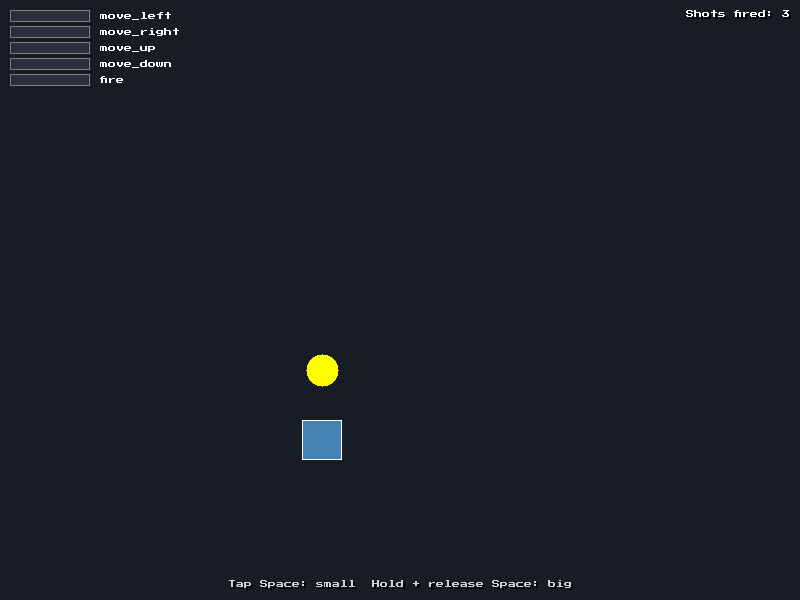
From the actions example.
Binding Types
KeyBinding
struct KeyBinding {
  Key key;
};
Binds a keyboard key.
MouseButtonBinding
struct MouseButtonBinding {
  MouseButton button;
};
Binds a mouse button.
ControllerButtonBinding
struct ControllerButtonBinding {
  ControllerButton button;
  uint32_t controller_index { 0 };
};
Binds a controller (gamepad) button. Set controller_index to ANY_CONTROLLER to accept the button on every connected controller.
ControllerAxisBinding
struct ControllerAxisBinding {
  ControllerAxis axis;
  uint32_t controller_index { 0 };
  float threshold { 0.5F };
  bool positive_direction { true };
};
Binds a controller axis. The binding is active when the axis value goes past threshold. The threshold is compared with the axis value after the dead zone is applied (see get_controller_axis). Set positive_direction to false to bind the negative direction (for example, left stick left).
| Field | Type | Default | Description |
|---|---|---|---|
axis | ControllerAxis | The axis to read | |
controller_index | uint32_t | 0 | The controller to read, or ANY_CONTROLLER to check each connected controller separately |
threshold | float | 0.5 | Axis value that activates the binding |
positive_direction | bool | true | false binds the negative direction |
ActionBinding
using ActionBinding = std::variant<KeyBinding,
                                   MouseButtonBinding,
                                   ControllerButtonBinding,
                                   ControllerAxisBinding>;
One input binding of any of the types above.
Functions
bind_action
void bind_action(std::string_view name, ActionBinding binding);Add a binding to a named action. You can add many bindings to the same action. Any active binding satisfies the action (logical OR).
unbind_action
void unbind_action(std::string_view name);Remove all bindings for a named action.
clear_actions
void clear_actions();Remove all actions and their bindings.
get_action
bool get_action(std::string_view name);Returns true if any binding of the action is active now.
get_action_down
bool get_action_down(std::string_view name);Returns true if the action became active this frame. The whole action must change from inactive to active. While one binding holds the action, a second binding does not make it active again, e.g. a second jump key does not jump again. A tap that starts and ends in one frame still counts.
get_action_up
bool get_action_up(std::string_view name);Returns true if the action became inactive this frame. The action is inactive only when no binding holds it.
get_action_strength
float get_action_strength(std::string_view name);Get the analogue strength of an action, from 0.0 to 1.0. Key and button bindings give 0 or 1. Axis bindings give the normalized axis value, in the range [threshold, 1.0]. When more than one binding is active, the function returns the highest strength.
update_actions
void update_actions();Update the cached action states from the current input. asw::core::update() calls this for you, after it processes events, so actions match raw input on the same frame. Call it yourself only if you manage the input loop manually.
Example
using namespace asw::input;

// Setup
bind_action("jump", KeyBinding { Key::Space });
bind_action("jump", ControllerButtonBinding { ControllerButton::A });

bind_action("move_left", KeyBinding { Key::A });
bind_action("move_left", ControllerAxisBinding { ControllerAxis::LeftX, 0, 0.25F, false });

// In the game loop
if (get_action_down("jump")) {
  // jump
}

float speed = get_action_strength("move_left");
position.x -= speed * move_speed * dt;