Camera
2D camera for scrolling worlds. The camera follows a target, stays inside the world and can shake.
Header: #include <asw/modules/camera.h>
Namespace: asw
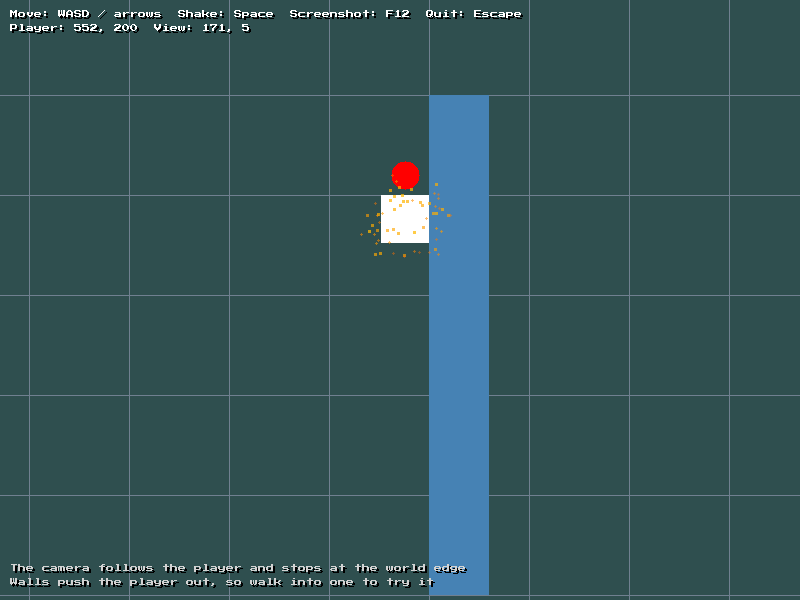
From the camera example.
Camera
cpp
class Camera;All drawing in ASW is in screen space. Keep game objects in world space, and use world_to_screen to convert positions when you draw them.
Constructors
cpp
Camera();
explicit Camera(const Vec2<float>& view_size);| Parameter | Type | Description |
|---|---|---|
view_size | const Vec2<float>& | Size of the area that the camera shows, usually the logical screen size |
The default constructor makes a camera with no view size. Call set_view_size before you use it.
Setup
| Method | Description |
|---|---|
void set_view_size(const Vec2<float>& view_size) | Set the size of the area that the camera shows, in pixels |
void set_bounds(const Quad<float>& bounds) | Keep the view inside an area of the world. If the area is smaller than the view, the view is centered on it |
void clear_bounds() | Let the view move anywhere |
void set_anchor(const Vec2<float>& anchor) | Set the point in the view where the followed target is kept, relative to the top left of the view. The default is the middle of the view |
void clear_anchor() | Keep the followed target in the middle of the view again |
void set_follow_speed(float speed) | Set how quickly follow moves to its target. A higher value is faster. 0 moves directly to the target. The default is 8 |
void set_shake_decay(float decay) | Set how quickly screen shake stops, in pixels of shake strength per second. The default is 60 |
Movement
| Method | Description |
|---|---|
void snap_to(const Vec2<float>& target) | Move directly to a target world position and stop all shake |
void follow(const Vec2<float>& target, float dt) | Ease towards a target world position. Call once per update. The easing does not change with frame rate |
void update(float dt) | Advance the screen shake. Call once per update |
void shake(float strength) | Start a screen shake. strength is the largest offset in pixels. A weaker shake does not stop a stronger shake that is already running |
void set_position(const Vec2<float>& position) | Set the top left of the view in world space |
Vec2<float> get_position() const | Get the top left of the view in world space, without shake |
Quad<float> get_view() const | Get the visible world area, with shake |
Conversion
| Method | Description |
|---|---|
Vec2<float> world_to_screen(const Vec2<float>& world) const | Convert a world position to screen space |
Quad<float> world_to_screen(const Quad<float>& world) const | Convert a world area to screen space |
Vec2<float> screen_to_world(const Vec2<float>& screen) const | Convert a screen position, for example the mouse, to world space |
To draw particles in world space, use ParticleEmitter::draw(const Camera&). See Particles.
Example
cpp
asw::Camera camera(asw::Vec2<float>(320.0f, 240.0f));
camera.set_bounds(asw::Quad<float>(0.0f, 0.0f, 2000.0f, 1000.0f));
camera.snap_to(player_position);

// Update
camera.follow(player_position, dt);
camera.update(dt);

if (player_hit) {
  camera.shake(8.0f);
}

// Mouse position in the world
auto mouse_world = camera.screen_to_world(asw::input::get_mouse().position);

// Draw
auto player_box = asw::Quad<float>(player_position, asw::Vec2<float>(16.0f, 16.0f));
asw::draw::rect_fill(camera.world_to_screen(player_box), asw::color::white);